


Wood Intelligence Plus App: realistic materials and smarter workflows with imos iX
Discover realistic PBR materials, seamless wood textures, custom material codes and base prices. The Wood Intelligence Plus App helps you manage materials more efficiently and prepare them for imos iX.
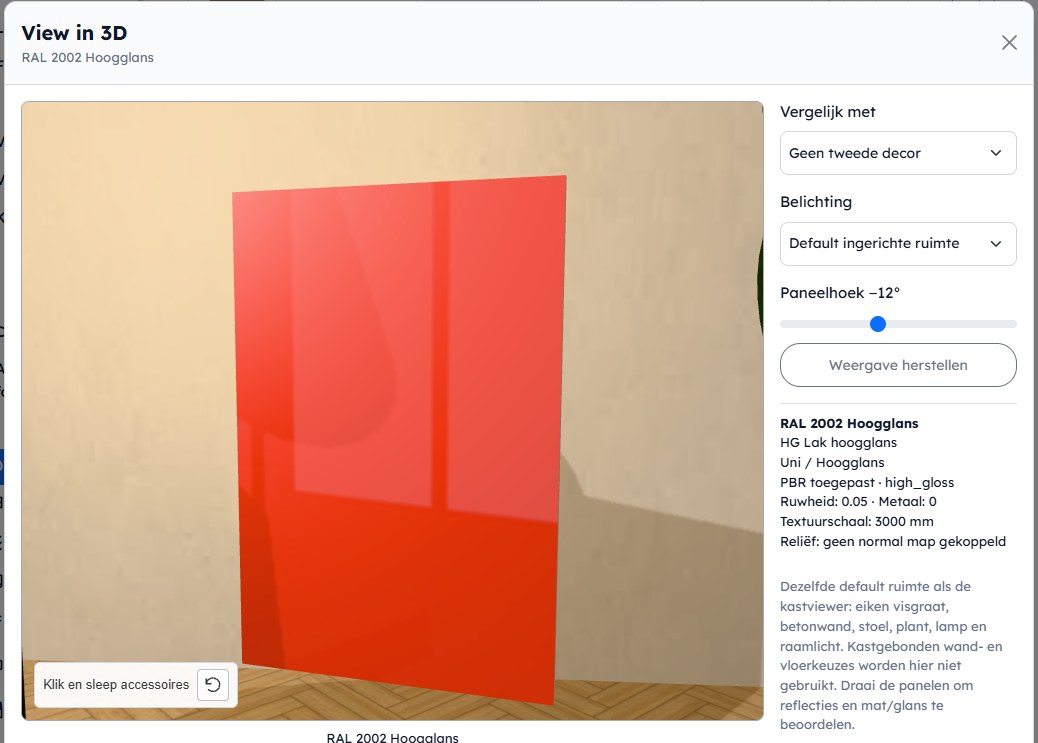
The updated Wood Intelligence Plus App makes it easier to manage, visualise and exchange materials. From realistic colours and seamless wood textures to custom material codes and base prices, more and more features are available directly in your browser.
Realistic materials with PBR
How will a material look in a 3D design? With the App, you can view materials on your PC, laptop or phone. PBR settings (Physically Based Rendering) determine how a surface responds to light, from a subtle sheen to a matt finish or a clear reflection.
This technology originated in the gaming industry and helps you get a better idea of a material's appearance in advance. PBR settings are supported from imos iX 2025 onwards. If you work with imos iX NET, you can import the settings from the App into your imos environment at the touch of a button. Assess them in the browser first, then use them in your own 3D designs.
Seamless wood textures
More than two years ago, we started improving wood textures for imos iX. Our own tool analyses images and adjusts them automatically where possible. This technology is now integrated into the Wood Intelligence Plus App.
What does seamless mean?
When the same image is repeated side by side and above and below itself, the wood grain and texture align at the edges. The result is one continuous surface.
With ordinary images, a horizontal or vertical line can become visible at each repeat. This is particularly distracting on large panels. The seamless feature automatically improves many of these images, creating more natural-looking wood textures in imos iX CAD. Not every image can be made completely seamless automatically, but in many cases this already makes a clear difference.
Your own material codes
Every company has its own way of naming materials. A supplier's code may have a different name in your ERP system or imos iX CAD/CAM environment. With your own account, you can now specify the abbreviations your company uses.
Set it up once
Our standard code for melamine-faced chipboard is MEL_SPA, for example. If your company uses SPL_MEL, you only need to define this mapping once. We then take your setting into account when preparing your material downloads. New materials fit your workflow more closely, without having to adjust databases manually each time.
Basic settings and prices for each material
Recording material data consistently takes time. That is why we have expanded the basic settings. For each material, you can manage details such as material type, thickness, available dimensions and base price.
Price per square metre or per sheet
Both options are supported. If you enter a price per m², the system can calculate the sheet price from the sheet dimensions. It also works the other way round. This avoids unnecessary calculations and helps you prepare consistent data for import into your own system.
Supplier or distributor codes
By default, we name materials according to the original manufacturer. If you buy Egger sheet material through Iboma, for example, we use Egger's code.
Sometimes the distributor is the name your company recognises. In the Netherlands, Cleaf materials are supplied through distributors including Decolegno. While we use CLE by default, many companies prefer DEC. In the App, you can choose the supplier or distributor code you want to use, so material names match the codes your company already knows.
More decors and material types
The Wood Intelligence Plus App lets us develop, test and improve new materials and textures faster. Many operations that previously required separate tools can now be carried out directly in the browser.
For each decor, we manage images and settings for different applications:
- Thumbnails: compact images for applications including imos iX NET.
- Seamless images: textures that can be repeated without visible joins.
- High-resolution images: for checking and further editing.
- PBR settings: realistic light reflections, gloss and material appearance.
- Optimised solid colours: compact images that are quick to process and have a uniform appearance.
The range is more extensive than ever. As well as sheet materials and edge banding, surface finishes such as HPL, veneer and lacquer are supported. Stone-like materials are also available.
Brands and colour standards
The collection includes materials and colours from Ascale, Ceta Bever, Cleaf (Decolegno), Dekton, Diresso, Durasein, Egger, Fenix, Inalco, Krion, NCS, Pfleiderer, RAL, Silestone, Trespa and Unilin. We continue to expand and improve the collection.
Discover the Wood Intelligence Plus App
Less manual adjustment, more control over your material data and better visualisations for your customers. Whether you want to browse decors, use your own material codes or create more realistic images for imos iX, more and more features are coming together in one environment.